Google Ads App Tracking Checklist: 8 Things to Check
Set up Google Ads app tracking that connects app events, values, and cohort ROAS before bids depend on it.
Google Ads app tracking needs more than an install event. A useful setup tells the campaign which actions signal value, keeps those actions consistent, and lets a team compare ad cost with revenue from the same acquisition cohort. This checklist helps a mobile app or game team set up the measurement before budget decisions depend on it.
1. Start Google Ads app tracking with the decision
Write down the decision the conversion will support. An install campaign needs a clean install signal. A campaign that should find purchasers needs a purchase or subscription event with a usable value. A game that earns from ads may need an event that separates a casual session from a player who reaches an early engagement milestone.
This is where Google Ads app tracking often goes wrong. Teams send every event, then select an event because it has the biggest count. That can train bidding toward activity that does not pay back. Google’s conversion tracking guidance for app campaigns says to track the interactions that lead to the primary goal, not only the final action. The practical version is simple: collect the path, but choose the event that matches the campaign objective.
For a subscription app, that path might be first open, account creation, trial start, then paid conversion. For a puzzle game, it might be first open, tutorial completion, level completion, then a purchase. Keep the event names stable once a campaign begins. Changing what an event means turns trend lines into a mixture of two measurements.

2. Pick one install definition
Do not count both install and first open as the primary new-user conversion. They describe related moments, but they are not interchangeable. Google’s app campaign documentation distinguishes downloads from first opens and advises counting only one when measuring new users. Pick the definition that your reporting can observe consistently for the platform and connection you use.
Then make the same definition visible in the campaign brief, analytics dashboard, and finance report. If an Android report uses installs while an iOS report uses first opens, label that difference. It prevents a false comparison between platforms.
Google Ads app tracking also needs a named owner. The owner should know where the event originates, who can change it, and how a failed event will be noticed. This does not need to be a large process. A shared row for each event is enough.
| Event | Use in reporting | Primary conversion | Sample daily count |
|---|---|---|---|
| First open | New user volume | Yes for install campaign | 1,240 |
| Account creation | Activation check | No | 690 |
| Trial start | Subscription intent | No | 180 |
| Paid subscription | Revenue optimization | Yes for value campaign | 68 |
This sample table is made for this article. It shows why a high-volume event can be useful for diagnosis without being the event used for bidding.
3. Track the path to value
Google Ads can use conversion data to look for patterns among valuable users. That makes upstream events useful, especially when a purchase happens days after an ad click. Keep the sequence short enough that every event has a clear job. An event that nobody uses for a report, alert, or campaign decision usually adds noise.
For a mobile game, Google Ads app tracking can start with first open, tutorial completion, and a defined progression event. Add purchase revenue if it exists. For a subscription app, use account creation, trial start, renewal, and refund as separate events. A refund should not silently disappear inside a gross-revenue number.
Compare the event sequence against the revenue definition used for cohort ROAS. Ad spend cannot be evaluated against a number that changes from gross to net without notice. The same campaign may look profitable or unprofitable depending on which revenue definition is in the report.
4. Choose a connection the team can maintain
Google lists several ways to connect mobile app conversions: Google Analytics 4, server-to-server tracking, third-party app analytics, and Google Play conversion tracking for Android. The right route depends on the existing app architecture and who owns the event pipeline. Read Google’s mobile app conversion tracking setup before choosing a path, because its prerequisites differ by connection.
Choose one source of truth for each event. If a purchase arrives from two sources, define which one is used for bidding and which one is only a validation feed. Otherwise a duplicate can make an event look healthier than it is.
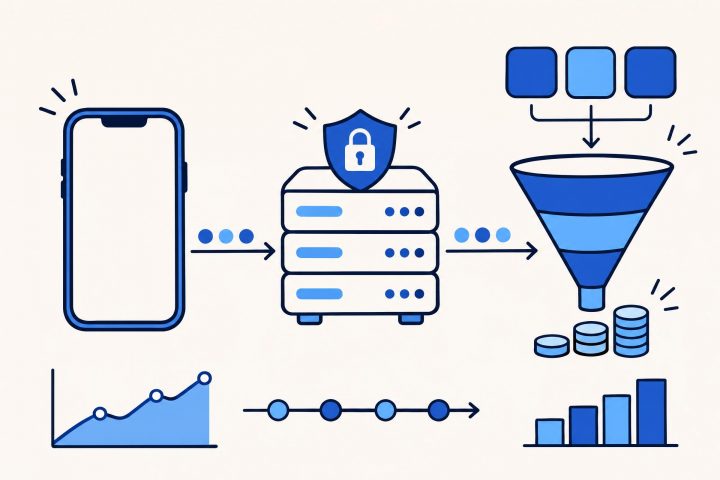
For teams that already send server-side revenue records, a server-side connection can keep the conversion event close to the record used for finance. The app can still send product events for diagnosis. The important part is an explicit mapping: source event, Google Ads conversion action, value, currency, and owner.
5. Set values that match the business
A value-based campaign needs values that mean the same thing across users. For a subscription app, use the revenue definition chosen for the campaign and make refunds visible in the measurement plan. For an ad-supported game, avoid treating a predicted future value as collected revenue unless the team labels it as a forecast.
Google’s conversion management overview separates creating, adjusting, monitoring, and grouping conversion actions. That distinction matters. A conversion value can need an adjustment after the original event. The reporting plan should state whether the dashboard uses reported revenue, adjusted revenue, or a forecast.
Use a small sample before launch. The sample below is made for this article. It lets a team check whether the event value and the cohort calculation agree.
| Sample campaign | Spend | Day 7 revenue | Day 7 cohort ROAS |
|---|---|---|---|
| Android puzzle campaign | $2,000 | $1,300 | 65% |
| iOS puzzle campaign | $1,500 | $1,125 | 75% |
The calculation is revenue divided by spend. For the Android row, $1,300 divided by $2,000 equals 0.65, or 65%. A campaign report that shows another value should be traced before bids change.

6. Check windows and consent before launch
A conversion window is the period after an ad interaction in which the action can receive credit. Google says that the default window is 30 days when a team does not customize it. Set a window that reflects the real delay between click, install, and value event. A short window can miss later purchases. A long window can make a fast optimization report look more mature than it is.
Google Ads app tracking must also follow the consent and disclosure requirements that apply to the app and its users. Keep the event payload and consent handling documented. The setup page asks teams to provide clear information about collected data and obtain consent where required. Do not treat a tracking connection as permission to send every available field.
7. Test Google Ads app tracking before bidding changes
Test with a controlled event path. Confirm that the chosen app event appears in the intended conversion action, carries the expected value and currency when relevant, and does not appear twice. Then compare the app event timestamp with the reporting timestamp so the team knows which delay is normal.
Use a short checklist for the test:
- Trigger the event from a test device or test account.
- Verify the event name and value in the source system.
- Verify the matching Google Ads conversion action.
- Check that the event is primary or secondary as intended.
- Record the expected reporting delay and owner.
Do not change the bid target at the same time as the event definition. One change at a time makes the result easier to explain. Google’s app campaign bidding documentation notes that bid strategies optimize around selected conversion actions and their values. Measurement changes can force the campaign to learn from a different signal.
8. Read cohort results after launch
Campaign columns answer an operational question: what did Google Ads report for the chosen conversion action? Cohort reporting answers a financial question: did the users acquired in a defined period return enough value for the spend? Both are needed.
Keep the acquisition date, campaign, platform, country, spend, and revenue window together. Then compare the campaign’s optimization event with later revenue. A game can show an efficient cost per tutorial completion while its Day 7 revenue remains weak. A subscription app can show fewer trial starts but stronger paid conversion quality.
Use the same cohort rules described in this cohort ROAS worked example, then bring the result into the budget review. For longer payback questions, compare it with the mobile game payback example. The point is not to replace Google Ads reporting. It is to keep the bidding signal connected to the outcome that pays for the campaign.
Keep the setup reviewable
A workable Google Ads app tracking plan has a small number of stable events, one owner per event, a documented value definition, and a routine test. That gives the team a cleaner conversation about bids and revenue. For more measurement topics, browse the Ad Networks category.