How to Set Up Deferred Deep Links for Mobile Attribution
Learn how to set up deferred deep links, test the install journey, and measure whether new users reach the intended app destination.

Deferred deep links preserve a campaign destination when a new user must install an app first. A working setup connects the click, the store trip, the first open, and the in-app route without treating those events as one vague success signal. That matters because a campaign can record an install while the user still lands on a generic home screen.
This guide covers the setup decisions that sit between a valid mobile link and a useful first session. It also separates routing from attribution, so a team can test each part before budget increases.
Deferred deep links need one clear destination
A standard deep link opens a specific destination for someone who already has the app. Deferred deep links add the install path for someone who does not. The destination should be a screen that can still make sense after a first launch, such as a game event, a subscription offer, or a product collection.
Do not make the link responsible for every onboarding decision. Give it one route and a small amount of context. A destination that needs an account, an entitlement, or an expired promotion needs a safe fallback. In that case, send the user to the closest usable screen and keep the original context available for the app to evaluate.
For a paid campaign, record the intended route before launch. It makes creative review simpler too. An ad about a starter bundle should not open a generic discovery tab after an install.

Set up the platform link layer before campaign settings
Start with the app and the website domain, not the ad platform. Google says Android App Links need HTTP or HTTPS intent filters, domain verification, and an assetlinks.json file served from the domain over HTTPS. Its App Campaign guidance also notes that Android install campaigns use deferred deep linking through the measurement SDK selected for the campaign.
On iOS, use Universal Links for the web-to-app handoff. Apple documents a two-way association between the app and website, then handling the incoming user activity in the app. Apple also warns that incoming URL parameters need validation and that links should not expose sensitive actions. That is a useful constraint for marketing teams too: route identifiers should describe a destination, not grant access.
For campaign configuration, confirm the platform accepts the exact app URL planned for the ad group. Google’s deep link setup guidance for App campaigns distinguishes the installed-user route from Android deferred deep link support for install campaigns. Keep the routing URL, campaign name, and measurement configuration in the same launch brief.
Use a route that survives normal product changes
Linking directly to a volatile interface state creates fragile campaigns. A stable route might identify a collection, an offer family, or a content identifier that the app can resolve. The app then decides whether the destination is available, whether a user is eligible, and where to fall back if it is not.
That approach also prevents a common reporting mistake. A campaign can have a valid attribution record while the route fails because the target was retired. Keeping route validation separate makes the failure visible.
Keep the route payload small and deliberate
The payload needs only enough information to reproduce the intended first session. For most campaigns, that means a destination identifier, a channel or campaign label, and a promotion identifier when one exists. Avoid putting private customer data into a URL. A server can resolve a short opaque value after the app opens if more context is needed.
The sample below is made for this article. Harbor Maze is a fictional puzzle game. The numbers show why the install count alone cannot confirm that a deferred route worked.
| Campaign | Clicks | Installs | First opens | Target routes opened |
|---|---|---|---|---|
| Weekend puzzle pack | 1,200 | 180 | 151 | 126 |
| Starter hint offer | 900 | 117 | 96 | 51 |
The first row shows a small difference between first opens and target routes. The second needs investigation. The issue could be an unsupported destination, a route parser problem, or a user flow that waits too long before reading the context. It is not enough to call both rows successful because installs occurred.
Measure the route handoff separately from attribution
Attribution answers which campaign receives credit for an install or later event. Routing answers whether the first app session reached the intended place. Treat them as two events in the reporting plan.
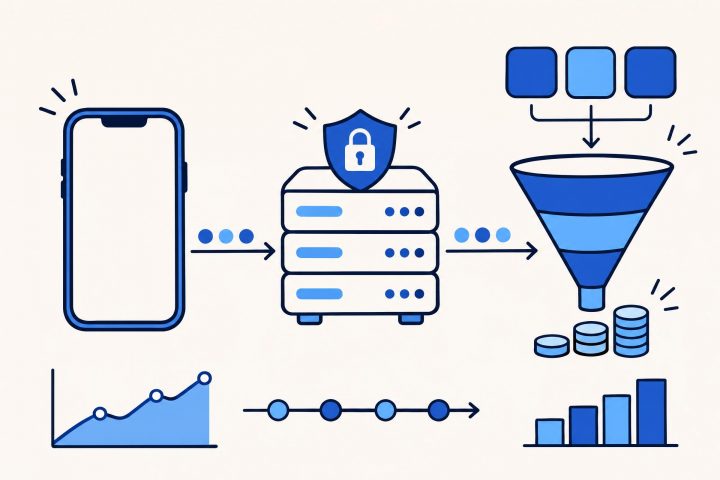
A practical event sequence is: link click, install, first open, route payload received, destination opened, and the first meaningful action on that destination. The last event changes by product. A game may use a tutorial start. A subscription app may use an offer view or completed purchase screen. Each event should carry a campaign identifier only when it is available and allowed by the measurement design.
This separation is useful when reading cohort ROAS later. A campaign might produce cheap installs but weak early engagement because its route is broken. The Google Play Install Referrer setup guide covers Android install context, while the Mobile Attribution category collects the broader measurement work around those journeys.

Test deferred deep links as a first-time user
Run tests on clean devices or freshly reset app state. A device with the app already installed tests ordinary deep linking, not the deferred path. Test the path from the actual campaign URL, through the store, to the first app open.
- Open the campaign URL on a device without the app.
- Confirm the correct store destination appears.
- Install the app and open it for the first time.
- Confirm that the route payload arrives once and that the target screen opens.
- Repeat with an expired or unavailable destination and check the fallback.
- Check that the link does not trigger sensitive actions or accept malformed parameters.
Apple’s Universal Links documentation specifically calls for validating URL parameters and testing malformed URLs. That check belongs in the launch routine, not only in a development ticket. Test across the versions and regions that carry meaningful spend, then record the result beside the campaign configuration.
Use the route result when judging campaign quality
Once deferred deep links work, keep the route-open rate beside install and first-open results. It will not replace cohort revenue or retention, but it explains why a campaign may have an early engagement gap. A clean route also gives the product team a more honest view of what a new user actually saw.
Before a campaign scales, add the full deferred route test to its launch checklist.